
As a user of TripIt since 2009, I have found the service to be invaluable when it comes to managing the information around the trips that I am taking. I simply forward my itinerary to plans@tripit.com and they do the rest. To date they have tracked over 260,000 miles of trips for me.
I like the service enough that I even signed up for the pro version of the service several years ago in order to have them keep track of my mileage balances as well as give me flight alerts. Both of these features have come in handy for me many times, so I keep on renewing TripIt pro without hesitation. With that said, I was starting to question whether TripIt could still be innovative since they were acquired a few years ago. It seems like ever since their acquisition they have been very slow to add new features.
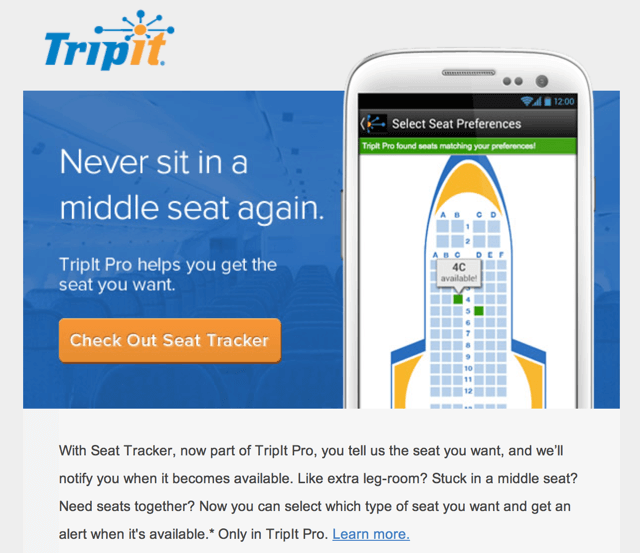
Last week, seemingly out of the blue, TripIt announced another feature that they were making available to pro members: Seat Tracker. Simply tell TripIt your seat preferences for a flight, and they will monitor your flight to let you know if a preferred seat becomes available.
Are you looking to sit in an Aisle or Window but stuck in the middle? Want to know when an Economy Comfort seat opens up? Use Seat Tracker to make your life easier!
I am particularly excited about this feature for flights that I get booked onto for work, because I am not the person choosing the seats on those flights. My hope is that TripIt Seat Tracker helps me save me from making errors with these flights.
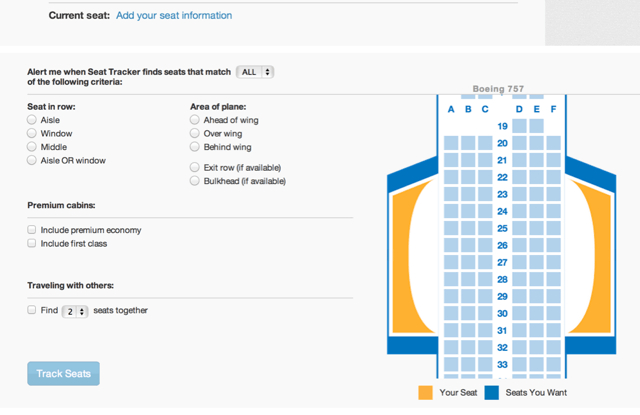
After doing a test drive with the service, I find the interface a little clunky. For example, Seat Tracker isn’t really easily findable from the main site navigation. If I want to create a new alert, I need to find that page, then click on Create New Alert to see a drop down menu. Why a drop down when the rest of that page is blank, I don’t know.

Next, you need to select your seat options, which is not nearly as intuitive as I would like. I can’t tell which seats are taken on the flight already. I don’t want seats together. Many times I don’t know what seat I want. So many confusing options that I really don’t know where to get started.
Another concern about the service is that TripIt only knows the seats I was sitting in when I booked the flight. If I change my seats along the way on the airline website, they won’t know that.
TripIt Seat Tracker Final Thoughts
Overall, I am intrigued and encouraged by this development on TripIt. I don’t think it’s very useful for me right now, because it takes more work to configure their service than you save from checking for seats on an airline website. However, it seems like this can become useful over time if they can start adding things like automatic alerts.
I’m just happy to see TripIt innovate, because I thought that they stopped building new features a long time ago. Nice work so far, TripIt team!